Overview
Search is turning into answers. Customers now ask ChatGPT, Claude, Perplexity, Gemini and Google’s AI Overviews, and get back one synthesized response with a handful of cited sources. If your content isn’t one of those sources, it doesn’t exist in that moment.
At the same time, the business wanted more video, motion and graphics than ever, and I was the video team. So I worked both sides of AI. I built an AI-assisted production workflow that let one person ship like a team, and I wrote the company’s internal playbook, the AI Search & Video guide, for getting our videos found, trusted and cited by answer engines. Then I put it to work across YouTube, the website and the Academy.
The problem
- One person, a full creative backlog. Video, B-roll, animation, icons, infographics and illustrations all needed doing at the pace of product releases, and I was the team.
- Titles written for us, not for searchers. “New feature X” means nothing to someone asking an AI assistant how to fix a problem. Answer engines match intent, not product names.
- Video is hard for AI to read. AI still struggles to understand what happens inside a video, so it leans on the text around it: transcript, title, description, chapters and the page it lives on. Without that layer, a great video gives an answer engine nothing to quote.
- Gated content can’t be cited. If a crawler can’t reach it, an answer engine can’t use it.
AI in the creative workflow
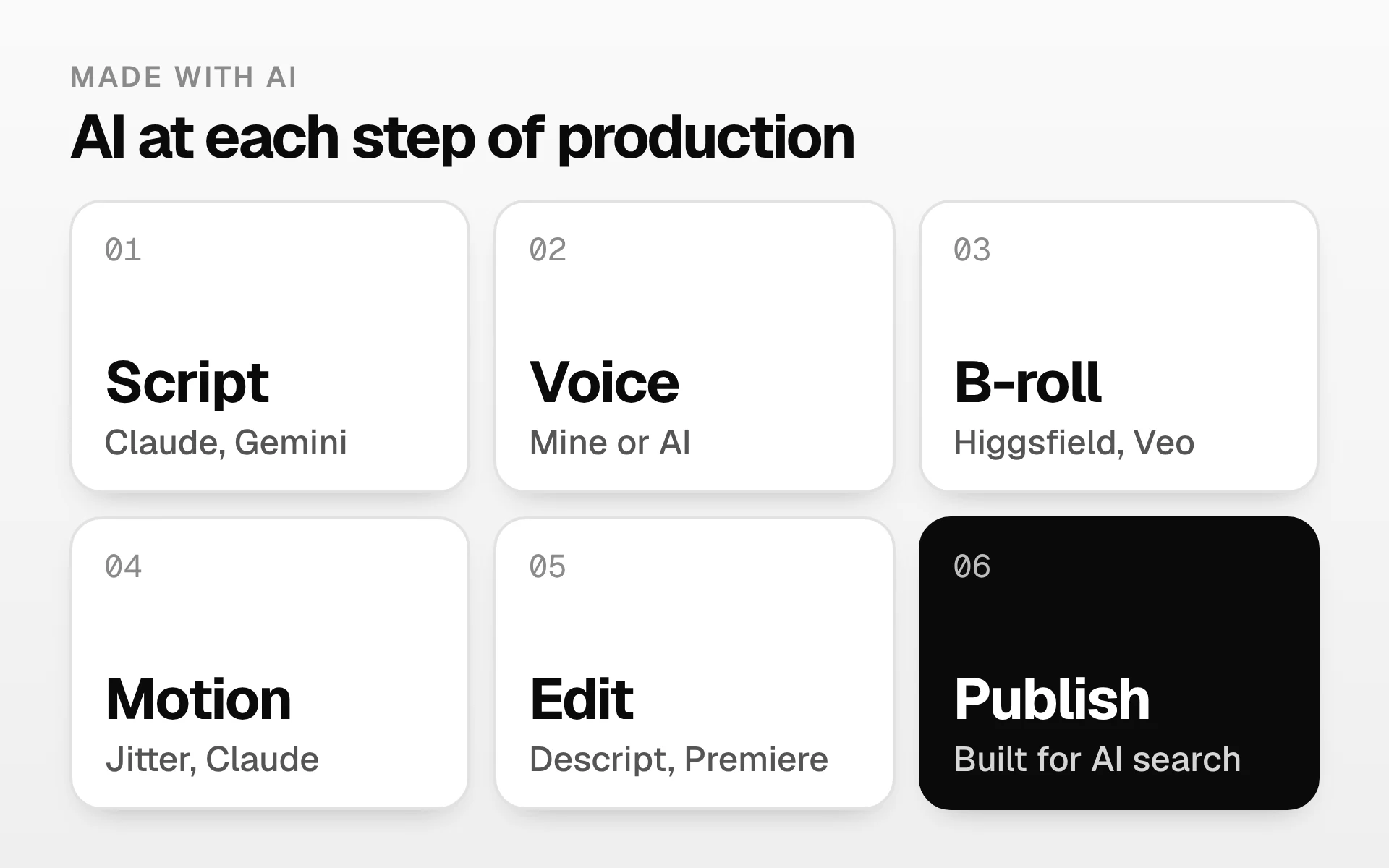
AI runs through everything I make, not just video: B-roll, motion graphics, animation, voiceover, images, infographics, illustrations and icons. It gets me to a strong first version fast. The pro tools and my eye take it to finished: Figma, Jitter, Photoshop, Premiere Pro and After Effects.
What worked
- Draft with AI, decide as a human. Claude and Gemini for script drafts, title options and SEO analysis. The story, the structure and the final call stayed with me.
- Voiceover you can patch. My own voice, or AI voiceover for demos and tutorials. When the product changed, I regenerated a line instead of booking a new recording session.
- Edit from the transcript. Descript for text-based editing and clean transcripts, and that same transcript became the text layer AI engines read.
- Generate the shots you can’t film. Higgsfield, Veo and Artlist for generative B-roll, video and images, so a missing shot no longer meant a missing scene.
- Reusable prompts. The guide included prompts for lesson scripts and AI-optimized YouTube descriptions, so every first draft started from the same standard.
- Finish by hand. Motion in Jitter with Claude plugins, graphics with Claude Design and ChatGPT, then the final edit in Premiere Pro and After Effects, so every asset stayed on brand.
How to Get Your Content Cited by AI
Answer engine optimization (AEO) and generative engine optimization (GEO) come down to one idea: be the clearest, most trustworthy answer to a real question, in a format a machine can read. My guide broke down how classic Google search, Google’s AI Overviews and large language models (LLMs) like ChatGPT each pick what to show, and here’s how I put it into practice.
Start with the questions people actually ask
I pulled the exact phrases customers used from CX support docs and YouTube comments. Each one became a video built around that intent, like how something works, the best way to do a task or how to choose between A and B, with the question or the search phrase behind it in the title. It didn’t need a question mark. Answer engines match intent, so a title that mirrors the query beats a feature name.
Make every video machine-readable
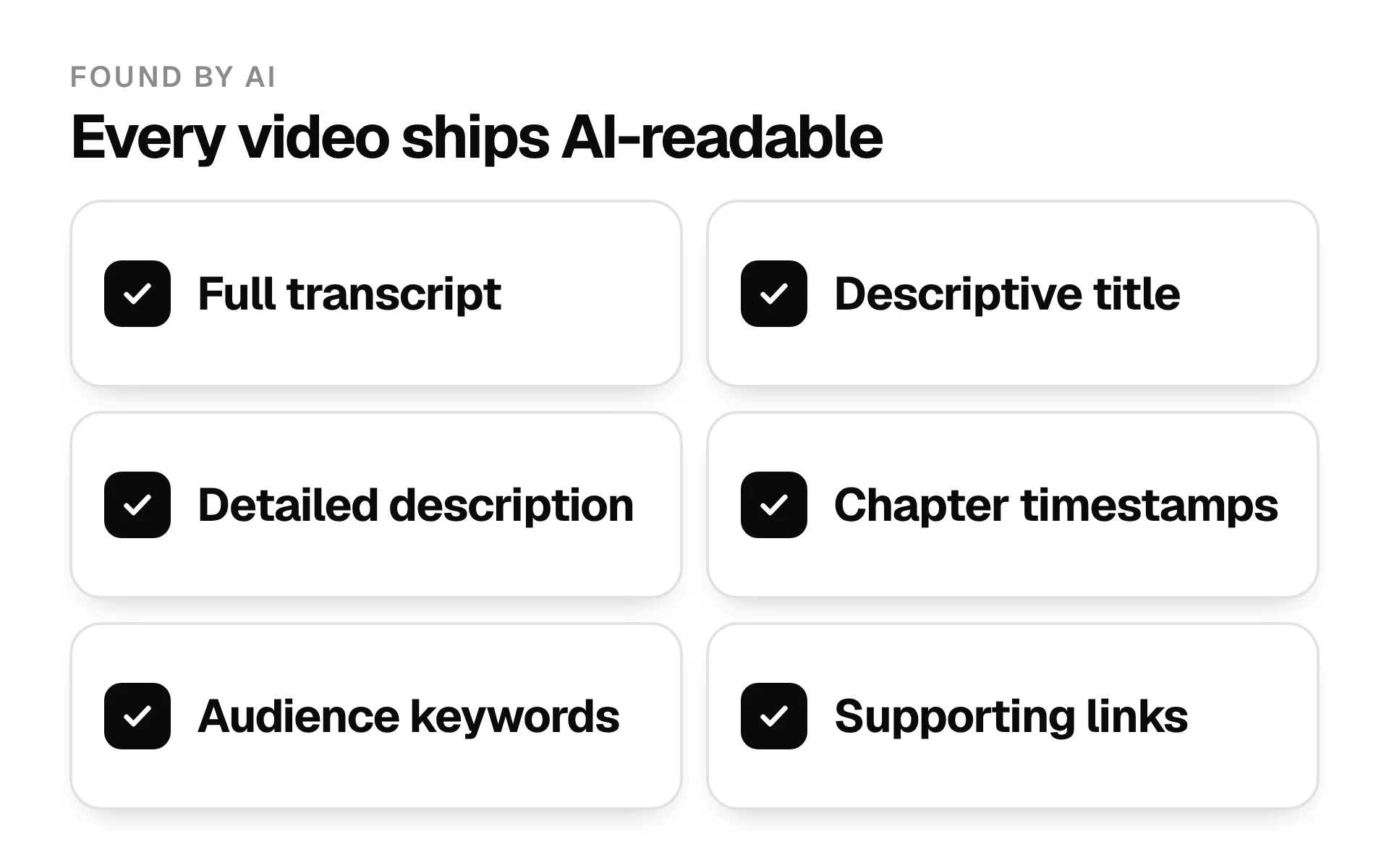
Every video shipped with a complete transcript, a descriptive title, a description that answered the question in its first two sentences, and chapter timestamps that named what happens at each moment. Descriptions used the keywords and phrases our audience uses and linked to supporting resources, giving AI clear context and entities to pull from.
Give every major video a crawlable home
YouTube alone isn’t enough. Major videos became the hero of their own page on the website, surrounded by the context AI needs. Academy tutorials, masterclasses and webinars stayed ungated, so search crawlers and AI could index them. Each extra indexable surface was one more chance to be the source an answer engine pulls from.
Test what AI actually says
I used Claude to audit our videos for AEO and GEO gaps, and vidIQ to see whether the changes moved YouTube search rankings. Then I asked ChatGPT, Claude, Perplexity and Gemini the same questions our customers ask, and tracked when and how often our videos came back as cited sources.
Impact
- Cited as a source in AI answers. When people asked AI assistants specific support questions, our videos showed up among the referenced sources.
- A team of one, shipping like a team. AI handled first drafts, voice updates and the shots we couldn’t film, so my time went into story and craft.
- A library AI can read. Transcripts, chapters and keyword-rich descriptions on every video, plus ungated tutorials in the Academy.
- Updates without re-recording. AI voiceover kept demos and tutorials in step with product changes and the RGE Studio rebrand.
- A playbook the company could reuse. The AI Search & Video guide gave the team one shared approach to AI search, from titles and descriptions to prompts.
Takeaways
Let AI draft, and keep the story yourself. AI gets you to a first version fast; taste and judgment make it worth watching.
Write the title like the query. Search intent beats product names, and the title doesn’t need a question mark.
If AI can’t read it, it can’t cite it. Transcripts, chapters, descriptions and open pages are the raw material for every citation.
One video, many surfaces. A YouTube upload, a hero page and an Academy lesson give answer engines three ways to find you.